
Apps › AlphaLuma
AlphaLuma
A light meter in your pocket.
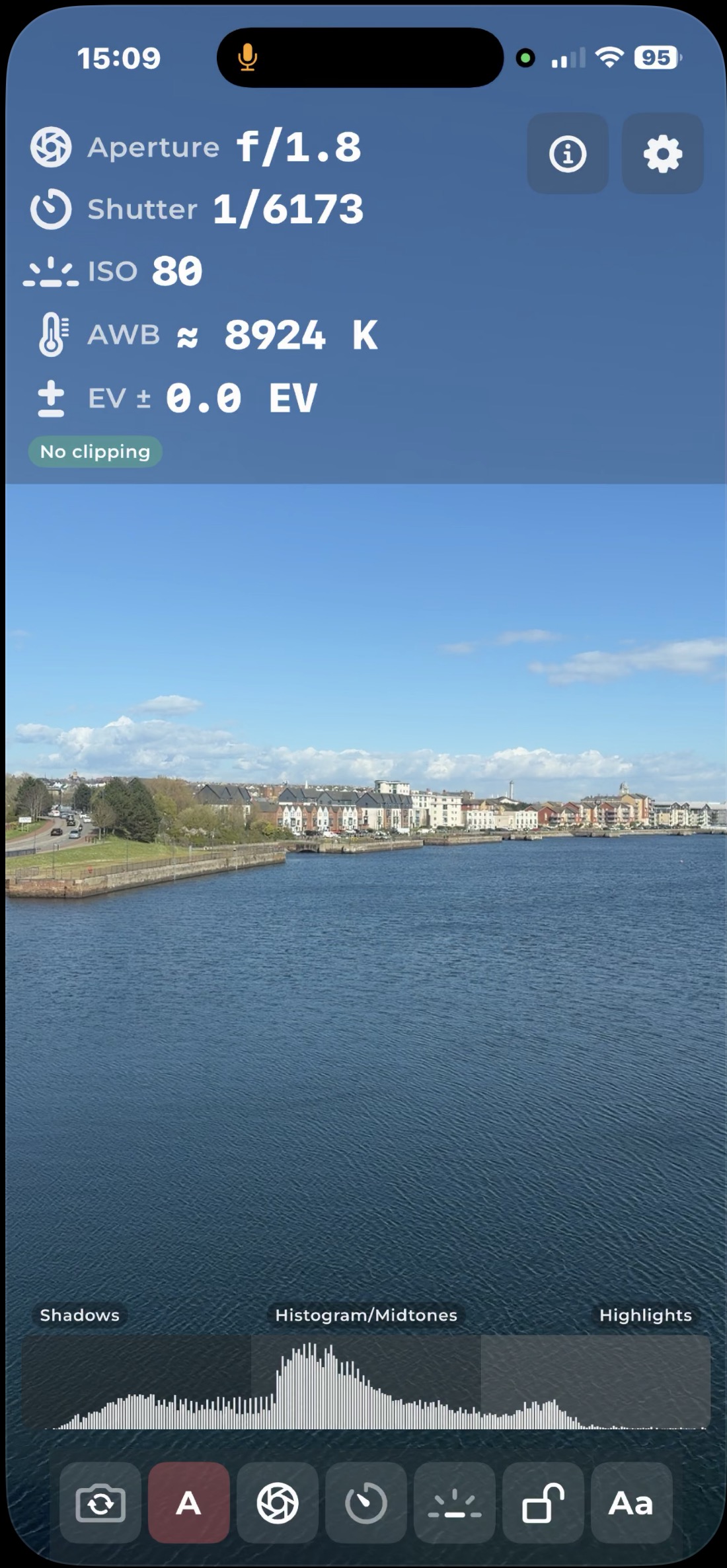
Live exposure guidance for iPhone photographers: a camera preview with aperture, shutter, ISO and white balance readings, a histogram and an optional waveform.
iPhone
- Livehistogram and waveform
- Auto + Manualmetering modes
- 7 daysfree trial
More screens are on the App Store.
Features
What it does.
Meter readouts
Aperture, shutter speed, ISO, white balance in Kelvin and EV, updated as the light changes.
Tap to meter
Tap anywhere on the preview to meter that point, marked by a focus reticle.
Auto and Manual
In Auto the readings follow the meter. In Manual, choose aperture, shutter and ISO stops and see the EV difference from the scene.
Histogram
A live brightness graph split into shadows, midtones and highlights, with clipping indicators.
Luminance waveform
Shows where brightness sits across the frame, with shadow, midtone and highlight thirds and a Safe exposure guide line.
Lock exposure
Freeze the readings, histogram and waveform so you can note the values or help someone match exposure.
Camera toggle
Switch between the cameras on your iPhone and the readouts follow.
Large type
The Aa button enlarges the readouts for bright sunlight, without changing your system text size.
How it works
How it works.
Point and tap
Aim at the scene and tap where you want to meter.
Read the light
Check the readouts, histogram and waveform.
Lock it
Freeze the exposure and note the values.
Set your camera
Use the numbers on the camera you are shooting with.
Details
Good to know.



Questions?
Ask about AlphaLuma.